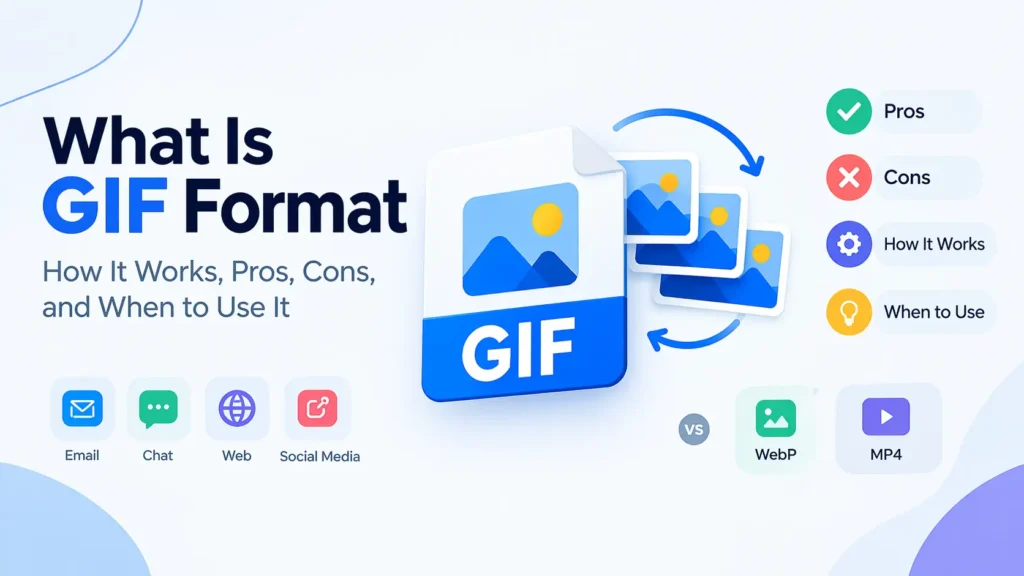
GIF stands for Graphics Interchange Format. It is a lossless image format from 1987 that stores up to 256 colours per frame and supports simple animation. GIF files play in every browser, email client, and chat app, which keeps the format popular for memes, reactions, and short loops. But GIF files run large and look grainy, and animated WebP or MP4 video beat GIF on both size and quality. This guide explains what GIF is, how it compresses images, where it still wins, and what to use instead in 2026.
What Is GIF? — Definition and Core Purpose
GIF is a raster image format that stores pictures as a grid of pixels using an indexed colour palette. Each GIF frame holds a maximum of 256 colours chosen from a palette of 16.7 million possible colours. The format also stores several frames in one file and plays them in sequence, which creates animation.
Why GIF matters: GIF gave the early web its first widely supported way to show animation and transparent graphics. Every browser, operating system, email client, and messaging app still opens GIF files without extra software. That universal support explains why GIF survives despite its age.
How people pronounce it: Steve Wilhite, the CompuServe engineer who created GIF, said “jif” (like the peanut butter). Most people say “gif” with a hard g. Both pronunciations appear in dictionaries.
The file extension: GIF files use the .gif extension. Search engines, browsers, and platforms all recognise the format by this extension and by the file header.
History of GIF — Where the Format Came From
CompuServe released GIF in June 1987. The company wanted a compact colour image format that worked across different computers over slow dial-up connections. In 1989, CompuServe released an updated version called GIF89a. That version added animation, transparency, and text comment blocks. GIF89a remains the standard version in 2026.
The patent dispute: GIF uses LZW compression. Unisys held a patent on LZW and began demanding licence fees from software makers in 1994. That dispute pushed web developers to create PNG as a free replacement. The LZW patents expired in 2003 and 2004, so GIF is now free to use everywhere.
The social media revival: GIF faded from web design in the 2000s as PNG and Flash took over. Social platforms revived it in the 2010s. Twitter, Tumblr, Giphy, and messaging apps made short looping GIFs a core part of online communication.
How GIF Compression Works
GIF compresses image data with LZW, which stands for Lempel-Ziv-Welch. LZW is a lossless algorithm. It finds repeated patterns in the pixel data and replaces them with short codes from a dictionary that it builds while reading the file.
Step 1 — Colour reduction. GIF converts the image to a palette of 256 colours or fewer. This step loses information for full-colour photos, because the encoder must map millions of colours to just 256. The colour reduction is the lossy part of making a GIF.
Step 2 — LZW compression. After colour reduction, LZW compresses the palette index values without any further loss. A row of 200 identical blue pixels becomes a handful of dictionary codes instead of 200 separate values.
Step 3 — Frame storage. For animated GIFs, the encoder stores each frame in sequence. Good encoders store only the pixels that change between frames, which shrinks the file.
Why this compression suits flat graphics: LZW works well on images with large areas of flat colour, such as logos, icons, and simple cartoons. It works poorly on photographs, where almost every pixel differs from its neighbours.
GIF Technical Specifications
| Feature | GIF Specification |
|---|---|
| Colour depth | Up to 8-bit (256 colours per frame) |
| Compression | LZW (lossless after colour reduction) |
| Transparency | One transparent colour (on or off only) |
| Animation | Supported with frame timing and loop control |
| Maximum dimensions | 65,535 × 65,535 pixels |
| Audio | Not supported |
| Browser support | Universal |
| File extension | .gif |
The 256-Colour Limit
The 256-colour limit is GIF’s biggest weakness. Photographs contain thousands of subtle colour shifts. A 256-colour palette cannot show them, so photos turn into patchy, grainy images with visible colour banding. Encoders use dithering, which scatters pixels of two nearby colours to fake in-between shades. Dithering helps but adds noise and increases file size.
Binary Transparency
GIF transparency works on a single colour. A pixel is fully transparent or fully opaque, and nothing in between exists. PNG and WebP support 256 levels of transparency, which creates smooth edges on any background. A GIF logo placed on a background that differs from its original shows a jagged white halo around the edges.
Animation Controls
GIF animation stores a delay time for each frame, measured in hundredths of a second. The file also stores a loop count. Set the loop to zero and the animation repeats forever. Most browsers cap the fastest frame delay at about 0.02 seconds, so very fast GIFs play slower than intended.
GIF Strengths — What It Still Does Well
Universal Compatibility
GIF plays everywhere. Email clients, messaging apps, forums, old browsers, and presentation software all show animated GIFs without plugins. WebP and MP4 fail in some of these places, especially email.
Autoplay and Looping Without Setup
A GIF starts playing and loops on its own. It needs no play button, no video player, and no JavaScript. That behaviour suits short reactions, loading spinners, and simple demonstrations.
Simple Sharing
People copy, paste, and upload GIFs in seconds. GIF libraries such as Giphy and Tenor let users search and send reaction GIFs directly inside chat apps.
Good Compression for Flat Graphics
Simple graphics with few colours compress well in GIF. A 64 × 64 pixel icon with six colours often takes under 2KB.
GIF Limitations — Where It Falls Short
Large file sizes for animation. GIF stores each frame as a separate image. A 5-second, 480-pixel-wide GIF commonly reaches 3 to 10MB. The same clip as MP4 often takes 200 to 500KB.
Poor photo quality. The 256-colour limit damages photographs and video footage. Skin tones, skies, and shadows show banding and noise.
No audio. GIF cannot carry sound. Use video for anything that needs audio.
Weak transparency. Binary transparency produces jagged edges on curved shapes.
Slow page loading. Heavy GIFs slow pages and hurt Largest Contentful Paint. Google’s PageSpeed Insights recommends replacing animated GIFs with video for this reason.
No accessibility controls. Users cannot pause a GIF without a script. Constantly looping animation also bothers people with motion sensitivity.
GIF vs Animated WebP vs MP4 vs APNG
| Format | Colours | Typical Size (5 sec clip) | Quality | Browser Support | Audio |
|---|---|---|---|---|---|
| GIF | 256 | 3–10 MB | Poor for photos | Universal | No |
| Animated WebP | 16.7 million | 0.8–3 MB | Excellent | 96%+ | No |
| APNG | 16.7 million | 2–6 MB | Excellent | 96%+ | No |
| MP4 (H.264) | 16.7 million | 0.2–0.8 MB | Excellent | Universal | Yes |
Animated WebP typically produces files 50 to 70 percent smaller than GIF with far better colour. MP4 produces the smallest files of all. For websites, MP4 with the autoplay, loop, muted, and playsinline attributes gives the same look as a GIF at a fraction of the weight:
html
<video autoplay loop muted playsinline width="480" height="270">
  <source src="clip.mp4" type="video/mp4">
</video>
Read our guide to WebP images for WordPress to see how WebP fits into a modern image workflow.
When to Use GIF
Use GIF when compatibility matters more than size or quality:
- Email campaigns, where many clients block video and WebP
- Short reaction loops shared in chat apps
- Tiny animated icons and loading indicators with few colours
- Platforms that accept GIF but reject video or animated WebP
- Simple graphics with flat colours and a small palette
When Not to Use GIF
Skip GIF in these cases:
- Photographs, which look grainy and band badly
- Web pages where speed matters, since MP4 or animated WebP load faster
- Clips longer than a few seconds, which balloon in size
- Images needing smooth transparency, where PNG or WebP win
- Anything needing sound
How to Make a GIF Smaller
Heavy GIFs frustrate users and slow pages. Use these steps to cut size:
- Cut the dimensions. Halving width and height cuts pixel count by 75 percent. Most web GIFs need no more than 480 pixels of width.
- Trim the length. Shorter loops mean fewer frames. Aim for 2 to 4 seconds.
- Lower the frame rate. Drop from 30 frames per second to 10 or 15. The motion stays smooth enough for most reactions.
- Reduce the palette. Moving from 256 to 128 colours saves space with little visible change on simple graphics.
- Skip heavy dithering. Dithering adds noise that LZW compresses badly.
- Compress with a tool. Use our free Image Compressor to shrink the file further.
How to Convert GIF to Other Formats
Converting GIF to a modern format usually shrinks the file and improves quality.
GIF to WebP. Use our GIF to WebP converter for web pages. The result is much smaller and shows full colour.
GIF to JPG or PNG. Use these when you need a still frame. Our GIF to JPG converter and GIF to PNG converter pull out the first frame as a standard image. Read our full guide on how to convert GIF to JPG, PNG and WebP for every method and device.
Other direction. You can turn images into GIFs with our PNG to GIF converter when a platform insists on GIF.
GIF and Web Performance
Heavy animated GIFs rank among the worst offenders for page weight. One 6MB GIF can outweigh every other asset on a page. Google’s Core Web Vitals reward fast loading, so large GIFs hurt Largest Contentful Paint when they sit near the top of a page.
Follow these rules on your site:
- Replace long animated GIFs with MP4 or animated WebP
- Add
loading="lazy"to GIFs below the fold - Set width and height attributes to prevent layout shift
- Keep any remaining GIF under 1MB when possible
Our guide on how to make images load faster covers each of these steps in detail.
GIF vs Other Image Formats — Quick Comparison
| Feature | GIF | PNG | JPG | WebP |
|---|---|---|---|---|
| Colours | 256 | 16.7 million | 16.7 million | 16.7 million |
| Compression | Lossless (after reduction) | Lossless | Lossy | Both |
| Animation | Yes | APNG only | No | Yes |
| Transparency | On/off | Full alpha | None | Full alpha |
| Best for | Simple loops | Graphics | Photos | All web images |
Compare the static formats in our posts on JPG vs PNG and what is WebP format.
Frequently Asked Questions
1. What does GIF stand for?
GIF stands for Graphics Interchange Format. CompuServe released it in 1987, and an updated version with animation arrived in 1989.
2. Is GIF lossy or lossless?
GIF compression uses lossless LZW. But converting a full-colour image to 256 colours loses data first, so GIFs made from photos lose quality during that step.
3. How many colours can a GIF have?
A GIF frame holds up to 256 colours. Each frame can pick a different palette, but no single frame exceeds 256.
4. Can a GIF have a transparent background?
Yes, but only with on-off transparency. Each pixel is fully clear or fully solid, so curved edges look jagged on mismatched backgrounds.
5. Why are GIF files so large?
GIF stores every animation frame as a separate image and uses an old compression method. A short clip often reaches several megabytes, while MP4 handles the same clip in a few hundred kilobytes.
6. Is GIF still used in 2026?
Yes. Chat apps, social platforms, and email campaigns still rely on GIF because every device plays it. But most websites now use MP4 or animated WebP for speed.
7. What is better than GIF?
MP4 gives the smallest files and best quality when you can use video. Animated WebP gives small, full-colour animation inside an image tag. Both beat GIF for web use.
8. How do I make a GIF smaller?
Cut the dimensions, shorten the loop, lower the frame rate, and reduce the palette. Then run it through an Image Compressor.
9. Can I use GIF in email?
Yes. GIF works in nearly every email client, which makes it the safest animated format for newsletters. Keep the file under 1MB and put the key message in the first frame, because Outlook shows only the first frame in some versions.
10. Can I turn a GIF into a still image?
Yes. Convert it to JPG or PNG and the converter keeps one frame. Use our converters linked above to do it in seconds.
Conclusion
GIF is a 1987 image format that stores 256 colours per frame and plays simple loops everywhere. Its universal support keeps it alive in email, chat apps, and social sharing. Its large files, poor photo quality, and weak transparency make it a poor choice for modern websites.
Use GIF when compatibility decides the choice. Use animated WebP or MP4 when speed and quality matter. Convert existing GIFs with our free tools and your pages load faster right away.
Start with our GIF to WebP converter and Image Compressor. Both work on any device, support batch upload, and cost nothing.