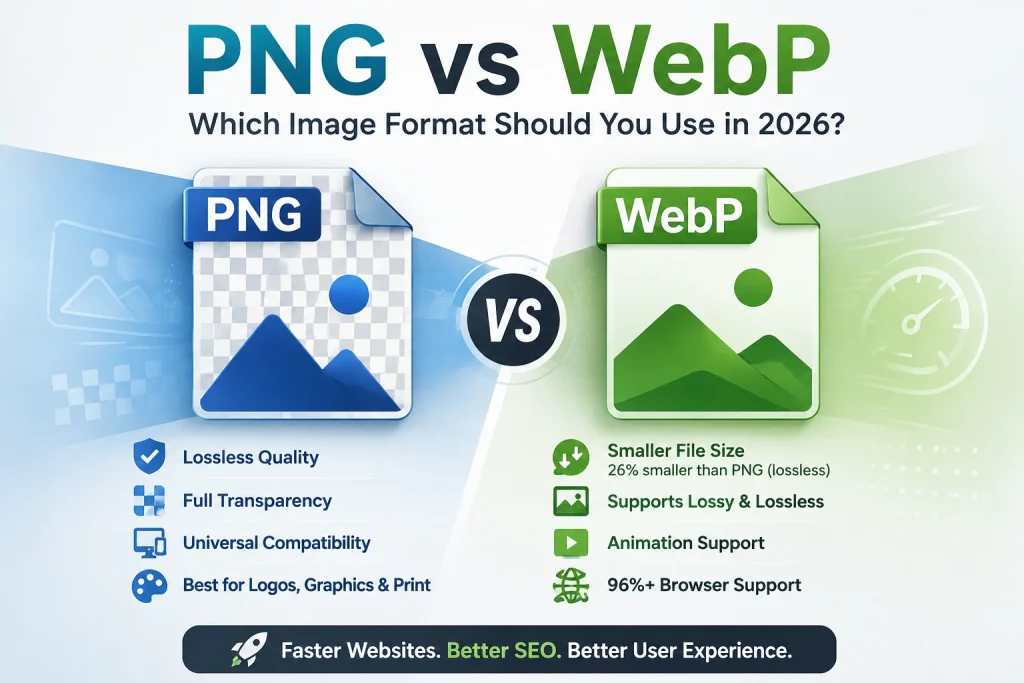
WebP lossless images are on average 26 percent smaller than PNG files at identical visual quality — and for websites, that difference directly translates to faster loading pages, better Core Web Vitals scores, and higher Google search rankings. But PNG remains the universally compatible choice for print, design software, email, and any workflow outside a web browser. This guide breaks down every real difference between PNG and WebP so you can make the right format decision every time.
What Is PNG? — Definition, History, and Core Purpose
PNG — Portable Network Graphics — is a lossless raster image format created in 1996 by the PNG Development Group as a free, open alternative to the GIF format. Unlike older formats limited by patents and technical constraints, PNG was designed from the ground up to support lossless compression, full colour transparency, and gamma correction for accurate colour display across different screens.
PNG uses DEFLATE compression — a lossless algorithm that reorganises pixel data more efficiently without removing anything. Every pixel stored in a PNG file is exactly what it was in the original image. Open, edit, and re-save a PNG file a thousand times and it looks identical every time — no quality degradation, no data loss, no generation loss.
Why PNG matters: PNG filled a critical gap in web image formats by providing lossless quality with full transparency support. It became the standard for logos, icons, graphics, screenshots, and any image where pixel-perfect accuracy and transparency are required.
How PNG compression works: The DEFLATE algorithm finds repetitive patterns in pixel data and replaces them with shorter representations. A row of 500 identical blue pixels gets stored as one instruction rather than 500 individual pixel values. This works extremely efficiently for simple graphics with flat colours and hard edges — less efficiently for photographs with millions of subtle colour variations.
PNG’s core strengths:
- Full alpha channel transparency — pixels can be fully transparent, partially transparent, or fully opaque
- Lossless compression — zero quality loss across unlimited save cycles
- Universal software support — opens in every image editor, viewer, browser, and platform
- Up to 48-bit colour depth — more colour information than JPG’s 24-bit
According to the W3C PNG specification, PNG supports up to 16 bits per channel — allowing for over 280 trillion possible colours, far exceeding what any current display technology can show.
What Is WebP? — Definition, History, and Core Purpose
WebP is a modern image format developed by Google and publicly released in September 2010. It was built specifically to improve on the inefficiencies of existing formats — delivering smaller file sizes than both JPG and PNG at equivalent visual quality. WebP uses a compression method derived from Google’s VP8 video codec, which enables significantly more efficient image encoding than the algorithms behind older formats.
WebP uniquely supports four compression modes in a single format: lossy compression (like JPG), lossless compression (like PNG), transparency in both lossy and lossless modes (like PNG), and animation (like GIF). No previous format supported all four capabilities together.
Why WebP matters: According to Google’s official WebP documentation, WebP lossless images are on average 26 percent smaller than PNG, and WebP lossy images are 25 to 34 percent smaller than comparable JPG files at equivalent quality. For websites with hundreds of images, this translates to dramatically faster loading times and meaningfully better user experience.
How WebP compression works: WebP lossless compression uses a prediction-based algorithm — it analyses surrounding pixels to predict each new pixel’s value, then only stores the difference between the prediction and the actual value. Combined with Huffman coding and colour transform techniques, this achieves better compression ratios than PNG’s DEFLATE algorithm across almost all image types.
WebP’s core strengths:
- Smaller file sizes than PNG for lossless images — 26 percent smaller on average
- Smaller file sizes than JPG for lossy images — 25 to 34 percent smaller
- Full transparency support in both lossy and lossless modes
- Animation support — replaces GIF with better quality and smaller files
- 96 percent+ global browser support as of 2026
PNG vs WebP — The Complete Side-by-Side Comparison
Before diving into specific scenarios, here is the full feature comparison:
| Feature | PNG | WebP |
|---|---|---|
| Compression Type | Lossless only | Lossy and Lossless |
| File Size | Larger | 26% smaller (lossless) |
| Transparency | Full alpha channel | Full alpha channel |
| Animation | Limited (APNG) | Full support |
| Browser Support | Universal | 96%+ modern browsers |
| Software Support | Universal | Limited in older apps |
| Print Support | Widely accepted | Rarely accepted |
| Email Support | Generally works | Inconsistent |
| Colour Depth | Up to 48-bit | Up to 10-bit per channel |
| Lossless Option | Yes | Yes |
| Lossy Option | No | Yes |
| Best For | Print, editing, design tools | Web images, performance |
| Year Created | 1996 | 2010 |
| Royalty Free | Yes | Yes |
File Size Comparison — PNG vs WebP With Real Numbers
File size is the most significant practical difference between PNG and WebP. Here are real-world comparisons of the same images in both formats:
| Image Type | PNG Size | WebP Lossless | WebP Lossy (85%) | Lossless Saving | Lossy Saving |
|---|---|---|---|---|---|
| Logo with transparency (400×200) | 45 KB | 28 KB | 18 KB | 38% | 60% |
| Icon set (500×500) | 32 KB | 20 KB | 12 KB | 38% | 63% |
| Screenshot (1440×900) | 820 KB | 510 KB | 220 KB | 38% | 73% |
| Product on white bg (800×800) | 1.1 MB | 680 KB | 290 KB | 38% | 74% |
| Website hero graphic (1920×1080) | 2.4 MB | 1.5 MB | 520 KB | 38% | 78% |
| Infographic (1200×2400) | 3.2 MB | 2.0 MB | 680 KB | 38% | 79% |
The 26 percent lossless saving is remarkably consistent across all image types — this matches Google’s stated average precisely. The lossy WebP savings are even more dramatic, ranging from 60 to 79 percent, because lossy WebP can apply compression that removes imperceptible data while PNG cannot.
Why this matters for websites: A web page with 10 PNG images averaging 500KB each carries 5MB of image weight. Converting those to lossless WebP brings the total to around 3.1MB — a 38 percent reduction. Converting to lossy WebP at 85 percent quality brings it to around 1.5MB — a 70 percent reduction. That difference in page weight directly affects how fast the page loads on every device for every visitor.
Transparency — How PNG and WebP Handle It Differently
Both PNG and WebP support full alpha channel transparency — but they implement it differently, and those differences matter in certain situations.
PNG Transparency
PNG uses a dedicated alpha channel stored alongside the red, green, and blue channels. Each pixel has four values — R, G, B, and A (alpha) — where alpha ranges from 0 (fully transparent) to 255 (fully opaque). Every level of partial transparency in between is supported, which enables smooth anti-aliased edges, drop shadows, and glass-like effects.
PNG transparency is perfectly preserved across all tools and platforms. Every image editor, browser, and application handles PNG transparency the same way — reliably and consistently. This is why transparent logos saved as PNG look identical on any background in any context.
WebP Transparency
WebP also supports alpha channel transparency, but implements it using a separate lossless compression pass for the alpha channel regardless of whether the image content is lossy or lossless. This means you can have a lossy WebP image (smaller file, slight quality reduction in the colour data) with a perfectly lossless transparent area — the best of both approaches.
The practical difference: A transparent logo saved as WebP lossy at 85 percent quality has slightly compressed colour data but a perfectly accurate transparent background. This makes the logo appear correctly on any background while keeping the file significantly smaller than the PNG version.
Edge case to know: Semi-transparent pixels — used in anti-aliased edges and soft drop shadows — are preserved correctly in WebP lossless conversion. In WebP lossy conversion, semi-transparent edge pixels may show very minor colour variations. For most practical uses this is invisible, but for very precise graphic design work where exact colour reproduction in transparent areas matters, use lossless WebP or PNG.
Quality — Lossless vs Lossy WebP vs PNG
PNG vs WebP Lossless
When comparing PNG to lossless WebP, quality is identical — both formats store every pixel exactly. The only difference is file size. WebP lossless achieves the same pixel-perfect quality as PNG in a 26 percent smaller file.
This means for any image where you currently use PNG for quality reasons — logos, icons, transparent graphics — you can switch to lossless WebP and get identical quality at a meaningfully smaller file size. No quality tradeoff, pure file size benefit.
PNG vs WebP Lossy
Lossy WebP introduces a quality comparison that PNG simply can’t participate in — PNG has no lossy mode. But this matters because lossy WebP can match PNG’s visual quality at dramatically smaller file sizes.
At 80 to 90 percent quality, lossy WebP looks visually identical to PNG at normal screen viewing sizes. The file is typically 70 to 80 percent smaller. You would need to zoom in to 200 percent or above and specifically look for compression artefacts to see any difference.
Where lossy WebP handles quality better than JPG: At aggressive compression settings, WebP maintains better visual quality than JPG at the same file size. WebP’s artefacts tend to look like slight blurring rather than the distinctive blocky JPEG artefacts. For thumbnails, mobile images, and any situation requiring very small file sizes, lossy WebP produces better-looking results than JPG at equivalent compression.
Browser Support — Where Each Format Works
PNG Browser Support
PNG has universal browser support across every browser version ever released. Chrome, Firefox, Safari, Edge, Internet Explorer, Opera — every browser version from the mid-1990s onwards displays PNG correctly. PNG is one of the original web image formats and its support is absolute and unconditional.
WebP Browser Support in 2026
WebP browser support has reached near-universal levels in 2026:
- Google Chrome — Full support since Chrome 23 (2012)
- Mozilla Firefox — Full support since Firefox 65 (January 2019)
- Apple Safari — Full support since Safari 14 (September 2020, iOS 14)
- Microsoft Edge — Full support since Edge 18
- Opera — Full support since Opera 12
- Samsung Internet — Full support since version 4
According to Mozilla’s browser compatibility documentation, WebP now has over 96 percent global browser support. The 4 percent gap represents users on very old browser versions — primarily Internet Explorer users (which Microsoft officially ended support for in June 2022) and users on outdated mobile browsers.
Handling WebP Fallback
For websites that need to support the remaining 4 percent, the HTML picture element provides a clean, no-JavaScript fallback:
html
<picture>
  <source srcset="logo.webp" type="image/webp">
  <img src="logo.png" alt="Company logo" width="200" height="80">
</picture>
Modern browsers load the WebP version. Older browsers that don’t support WebP fall back to PNG automatically. This approach serves every visitor optimally with no performance penalty for modern browser users.
WordPress handles this automatically through its built-in WebP support (added in WordPress 5.8) and most performance plugins. Our article on WebP images for WordPress covers the complete WordPress WebP implementation with fallback handling.
Software and Platform Compatibility
PNG Compatibility
PNG is accepted everywhere — no exceptions:
- Every image editor ever made (Photoshop, Illustrator, GIMP, Affinity, Paint, Preview)
- Every operating system (Windows, macOS, Linux, iOS, Android)
- Every browser (all versions, all platforms)
- Every email client (Gmail, Outlook, Apple Mail, Yahoo)
- Every print service (professional and consumer)
- Every document tool (Word, PowerPoint, Google Docs, Keynote)
- Every platform and CMS
WebP Compatibility
WebP compatibility has improved significantly but still has gaps in non-browser contexts:
Supported: Chrome (desktop and mobile), Firefox, Safari 14+, Edge, Opera, Adobe Photoshop 23.2+, Affinity Photo 1.7+, GIMP 2.10+, Android 4.0+, iOS 14+, WordPress 5.8+
Not reliably supported: Email clients (Gmail, Outlook, Apple Mail handle WebP inconsistently), older Photoshop versions (before 23.2), print services, legacy design tools, some older CMS platforms, Internet Explorer
The practical impact: For web delivery, WebP’s compatibility is excellent. For anything outside a web browser — especially email and print — WebP creates compatibility problems. Keep PNG as your universal format for non-web contexts.
When to Use PNG — Specific Use Cases
Logos and Brand Graphics
Use PNG for logos in any context where WebP isn’t supported — email signatures, Word documents, PowerPoint presentations, PDF files, print materials, and any offline use. PNG’s universal compatibility means the logo works everywhere without conversion.
For web logos specifically, SVG is often the best choice — SVG scales perfectly to any size and has smaller file sizes than PNG for simple vector logos. Our guide on how to convert JPG to SVG covers SVG conversion and when it’s better than PNG.
Screenshots With Text
PNG is the correct format for screenshots containing text, UI elements, code, or any interface content. Text has sharp, hard edges that JPG compression blurs noticeably. PNG keeps every character perfectly crisp. WebP lossless also preserves text perfectly — but PNG is the safer choice for screenshots you’ll share across different platforms and contexts where WebP support is uncertain.
Working Files for Design
PNG is the right working format for any image you’ll edit repeatedly. Unlike JPG which degrades with each save, PNG stays lossless across unlimited editing cycles. Design files, illustrations, and graphics under active development should stay as PNG until the final deliverable is ready.
Print Files
Use PNG for any image going to a print service. PNG’s lossless quality is the professional standard for print production alongside TIFF. Print shops don’t accept WebP — PNG is the right format for print-ready files.
Email Images
Use PNG for images embedded in emails or attached to email messages. Most email clients display PNG correctly. WebP support in email clients is inconsistent and unreliable in 2026.
When to Use WebP — Specific Use Cases
All Images on Web Pages
WebP is the correct format for every image displayed on a web page in 2026. Hero images, blog featured images, product photos, infographics, screenshots used in web content — all of these benefit from WebP’s smaller file sizes. The performance improvement is real and measurable.
A website switching from PNG to WebP for all images typically sees total image payload reductions of 26 percent (lossless) to 70 percent (lossy for photographic content). That directly improves loading speed, reduces bounce rates, and improves Core Web Vitals scores.
Product Images in eCommerce
Product images are some of the most important images on any website — they directly influence purchasing decisions. They’re also typically large files that affect page loading significantly. Converting product images from PNG to WebP reduces file sizes dramatically while maintaining the visual quality that customers need to feel confident buying.
For eCommerce stores using platforms like Shopify, WooCommerce, or Magento — all of which support WebP in 2026 — converting product images to WebP is one of the highest-impact performance improvements available. Our Image Compressor can further reduce WebP file sizes after conversion for maximum performance.
Hero Images and Banners
Hero images are typically the largest image on any page and directly affect Largest Contentful Paint — the Core Web Vitals metric Google uses as a ranking signal. WebP hero images load faster than PNG versions, directly improving LCP scores. Google’s own research shows that improving LCP from Poor to Good can increase conversion rates by up to 15 percent.
Transparent Graphics for Web
For transparent images on websites — logos on coloured backgrounds, cutout product images, interface graphics — WebP lossless is better than PNG. It preserves full transparency while being 26 percent smaller. If you previously used PNG specifically for transparency on your website, switching to WebP lossless gives you the same transparency at a smaller file size.
Use our free PNG to WebP converter to convert transparent PNGs to WebP — it preserves full alpha channel transparency in the output WebP file.
PNG vs WebP for SEO — The Direct Impact
Page Speed as a Ranking Factor
Google has confirmed page loading speed as a ranking factor since 2010 for desktop and since 2018 for mobile. Images are the single largest contributor to page weight on most websites. Reducing image file sizes through format optimisation directly reduces page loading time — which directly affects rankings.
According to Google’s PageSpeed Insights documentation, using next-generation image formats (primarily WebP) is one of the highest-priority recommendations for improving page performance. When PageSpeed Insights shows a “Serve images in next-gen formats” warning, it’s specifically recommending switching from PNG and JPG to WebP.
Core Web Vitals and WebP
Three Core Web Vitals metrics are directly affected by image format choices:
Largest Contentful Paint (LCP): The largest visible element on most pages is an image. WebP hero images and featured images load faster than PNG versions — improving LCP scores. Google targets LCP under 2.5 seconds for a Good rating.
Cumulative Layout Shift (CLS): Not directly affected by format but affected by whether image dimensions are defined in HTML. Always specify width and height attributes on all images regardless of format.
Interaction to Next Paint (INP): Heavy pages with large PNG files can increase overall browser resource usage during loading, indirectly affecting interaction responsiveness. Lighter WebP files contribute to a more responsive page.
Crawl Efficiency
Google crawls pages more efficiently when they load faster. Faster pages mean Googlebot can crawl more pages in the same time, which benefits large websites with extensive content. While format choice is a small factor in crawl efficiency, it’s part of a larger picture of technical performance optimisation.
Converting Between PNG and WebP
PNG to WebP Conversion
Converting PNG to WebP for web use is one of the highest-impact image optimisations you can make. Our free PNG to WebP converter handles both lossless and lossy conversion:
- For logos and graphics: Use lossless WebP — identical quality, 26 percent smaller
- For photographs saved as PNG: Use lossy WebP at 85 percent quality — dramatically smaller with no visible quality difference
- For transparent images: Both modes preserve full alpha channel transparency
The converter supports multiple file uploads — convert a whole batch of PNG files in one go. Our full guide on how to convert PNG to WebP covers the complete conversion process including quality settings and what to expect.
WebP to PNG Conversion
When you need a PNG version of a WebP file — for print, email, design software, or any non-web context — our WebP to PNG converter handles the conversion with full quality preservation. WebP to PNG is a lossless conversion — no quality is lost. The PNG will be larger than the WebP source — that’s expected and normal.
PNG vs WebP — Decision Framework
Use this framework to pick the right format in under 30 seconds:
| Question | Answer YES → | Answer NO → |
|---|---|---|
| Is the image going on a web page? | WebP | Continue |
| Does it need to work in email? | PNG | Continue |
| Is it going to print? | PNG | Continue |
| Will it be edited repeatedly? | PNG | Continue |
| Does software need to open it? | PNG (safer) | WebP |
| Is it a working design file? | PNG | WebP |
| Is performance the priority? | WebP | PNG |
The 80/20 rule for most people: Use WebP for your website. Use PNG for everything else.
Frequently Asked Questions
1. Is WebP better than PNG?
For web images, yes — WebP lossless files are 26 percent smaller than PNG at identical quality, and WebP lossy files are 50 to 80 percent smaller for photographic content. For print, email, and design software where universal compatibility matters, PNG is safer and more practical. WebP is the better web format. PNG is the better universal format.
2. Does WebP support transparency like PNG?
Yes. WebP supports full alpha channel transparency in both lossless and lossy modes. Transparent logos, cutout images, and graphics with soft edges all convert from PNG to WebP with full transparency preserved. WebP handles semi-transparent pixels correctly — making it a complete replacement for PNG transparency in web contexts.
3. Why is my WebP file still larger than my PNG?
This shouldn’t happen with lossless WebP — WebP lossless is consistently 26 percent smaller than PNG. If your WebP is larger, check the conversion settings. Some tools default to lossless WebP for simple graphics and lossy WebP for photographs. For photographs saved as PNG, use lossy WebP at 80 to 85 percent quality for the biggest file size reduction.
4. Can I use WebP for logos?
Yes — WebP lossless is excellent for logos on websites. It preserves sharp edges, flat colours, and full transparency with identical quality to PNG at 26 percent smaller file size. For logos used in email signatures, Word documents, or print materials, stick with PNG for guaranteed compatibility.
5. Is PNG or WebP better for screenshots?
For web use — WebP lossless keeps text and UI elements perfectly sharp (same as PNG) at a smaller file size. For sharing screenshots across different platforms, email, or in documents — PNG is safer due to universal compatibility. PNG is the better choice when you don’t know where the screenshot will end up.
6. Do all devices support WebP in 2026?
All modern devices running current operating systems support WebP — iOS 14+, Android 4.0+, Windows 10+, and all current macOS versions. Very old devices on outdated operating systems may not. For websites targeting all devices, implement the HTML picture element with PNG fallback to cover all cases.
7. Should I convert all my PNG images to WebP?
For images on your website — yes, converting to WebP improves loading speed and Core Web Vitals. For working design files — no, keep them as PNG for editing. For images going to print or email — no, keep them as PNG for compatibility. Convert selectively based on where each image will be used.
8. What quality setting should I use for PNG to WebP conversion?
For logos and graphics with sharp edges — use lossless WebP to maintain pixel-perfect quality. For photographs and complex images saved as PNG — use lossy WebP at 80 to 85 percent quality for the best balance of file size and visual quality. At 85 percent, the visual difference from the PNG original is invisible at normal viewing sizes.
9. Does PNG or WebP load faster on websites?
WebP always loads faster than PNG for the same image because WebP files are consistently smaller. Lossless WebP is 26 percent smaller than PNG — meaning it downloads in 74 percent of the time. Lossy WebP can be 50 to 80 percent smaller than PNG for photographic content — loading in a fraction of the time. For website performance, WebP is always faster.
10. What is the main disadvantage of WebP compared to PNG?
Limited compatibility outside web browsers. WebP isn’t reliably supported in email clients, print services, older design software, or legacy platforms. PNG works in every context without exception. This is why many workflows use WebP for web delivery and PNG as the master file format for all other uses.
Conclusion
PNG and WebP serve the same visual purpose — high-quality images with transparency support — but they serve different contexts best. WebP is the clear winner for web performance: 26 percent smaller than PNG lossless, 50 to 80 percent smaller for photographic content in lossy mode, with identical transparency support and 96 percent browser coverage. PNG is the clear winner for universal compatibility: works in every email client, every print service, every design tool, and every platform without exception.
The smartest workflow in 2026 uses both. Keep PNG as your master format for editing, print, and non-web sharing. Convert to WebP for everything that goes on a website. This gives you the universal compatibility of PNG where you need it and the performance advantages of WebP where they matter most.
The numbers make the case clearly. According to Google’s own data, WebP lossless images are 26 percent smaller than PNG at identical quality. For a website with 50 PNG images averaging 400KB each, switching to WebP saves 5.2MB per page load — delivered to every visitor, on every page, every time.
Convert your PNG images to WebP for web use today with our free PNG to WebP converter — lossless and lossy options, full transparency preservation, batch conversion supported, no sign-up required.