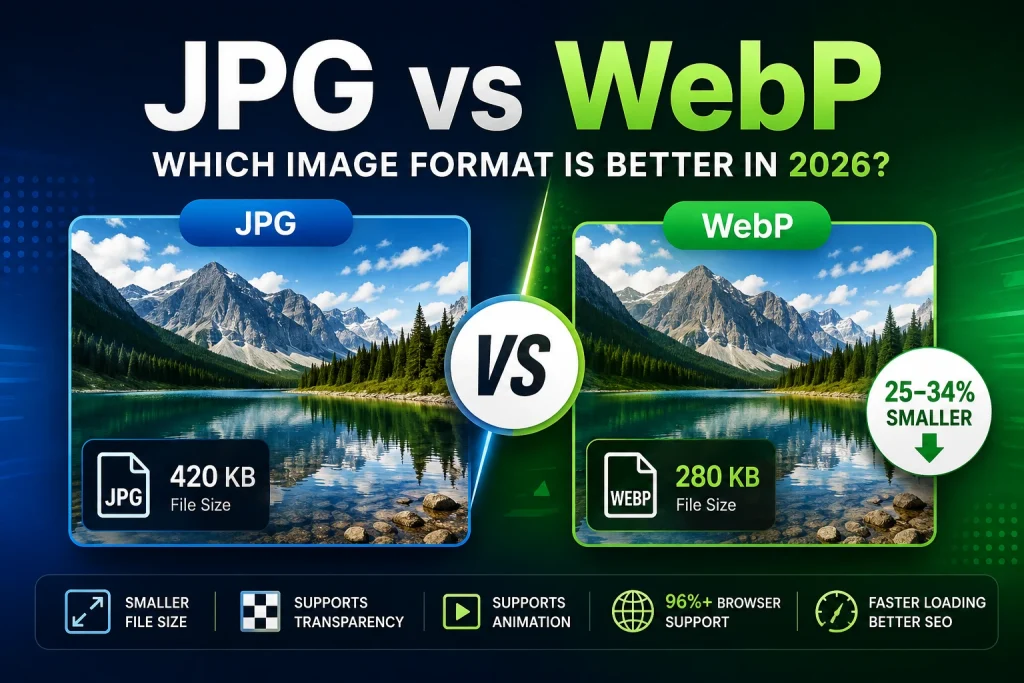
WebP is 25% to 34% more compressed than JPG with equal image quality, which translates to faster loading times, higher ranking on Google, and lower storage requirements for your photos. On the other hand, JPG can be used in places where WebP cannot — print media, e-mail, legacy software, and whatever else is not yet up-to-date with current file formats. This comparison gives all the facts on the differences between JPG and WebP.
What Is JPG?
JPG is the preferred file format for images taken by a camera since 1992. JPG applies lossy compression. Lossy compression means that it removes some data from your image, which your eyes will never be able to see. Thus, you get small files with amazing quality for photographs. For example, a high-quality photograph taken by a smartphone reduces in size from 15MB to about 3 or 5MB without compromising the quality.
JPG is compatible everywhere. All devices, all browsers, applications, emails, print services, and all platforms of our planet open JPG files without problems. This compatibility is the biggest advantage of the JPG format and also the reason why JPG is still relevant in 2026 despite its age.
Here come the disadvantages of JPG. Every time you save an image in JPG format, you reduce its quality. JPG doesn’t support transparency. Finally, the files are bigger than other new formats, such as WebP.
What Is WebP?
WebP is an innovative image format created by Google in 2010. This format has been designed specifically to address the weaknesses of earlier formats such as JPG and PNG. The compression technology used by WebP is based on Google’s VP8 video codec technology, which is inherently more efficient than the technology used in JPG format.
WebP is able to use both lossy and lossless compression techniques, hence it can replace both JPG and PNG formats. WebP can support full transparency just as PNG can do. WebP can also support animations as well as GIF images.
According to Google’s WebP technical documentation, WebP lossy images are 25 to 34 percent smaller than comparable JPG files at equivalent visual quality. That’s not a marginal improvement — it’s a consistent, measurable gap across real-world images.
Browser support for WebP is now over 96 percent globally. Chrome, Firefox, Safari, Edge, and Opera all support WebP natively. The days of WebP being a “not yet ready” format are over — it’s the standard for web image delivery in 2026.
JPG vs WebP — Complete Comparison
| Feature | JPG | WebP |
|---|---|---|
| Compression Type | Lossy only | Lossy and Lossless |
| File Size | Standard | 25–34% smaller than JPG |
| Transparency | Not supported | Supported |
| Animation | Not supported | Supported |
| Browser Support | Universal | 96%+ modern browsers |
| Software Support | Universal | Improving — limited in older apps |
| Print Support | Widely accepted | Rarely accepted |
| Email Support | Universal | Inconsistent |
| Quality Loss | Yes — each save | Yes (lossy) — No (lossless) |
| Colour Depth | 24-bit | Up to 10-bit per channel |
| Best For | Universal compatibility | Web images, performance |
| Year Created | 1992 | 2010 |
File Size — The Real Numbers
The 25 to 34 percent file size advantage that WebP has over JPG sounds significant. Here’s what it looks like in practice with real images:
| Image Type | JPG Size | WebP Size | Saving |
|---|---|---|---|
| Hero photo (1920×1080) | 420 KB | 280 KB | 33% smaller |
| Blog featured image (1200×628) | 180 KB | 120 KB | 33% smaller |
| Product photo (800×800) | 150 KB | 98 KB | 35% smaller |
| Portrait photo (800×1200) | 200 KB | 135 KB | 33% smaller |
| Landscape photo (1600×900) | 320 KB | 210 KB | 34% smaller |
| Social media image (1080×1080) | 280 KB | 185 KB | 34% smaller |
These are typical real-world numbers. The saving is consistent — between 30 and 35 percent across different image types and sizes. For a website with 100 images averaging 200KB each as JPG, switching to WebP reduces total image weight from 20MB to around 13MB. That’s 7MB less data to download on every page that contains all those images.
Quality — Can You Actually See the Difference?
At Equivalent Settings
With quality being the same in both the formats – 85 percent quality in JPG as compared to 100 percent quality in WebP – they appear exactly alike to human eyes at viewing sizes. The difference in the quality of a compressed image in JPG and an equivalent image in WebP cannot be seen in any monitor or phone at 100 percent zoom.
The difference will only appear when you have zoomed into the image sufficiently to find out whether there are any compression artefacts or not. At 200 percent zoom, you can see that WebP deals with fine texture details better than JPG; edges are slightly cleaner and color accuracy is slightly better too.
At Aggressive Compression
WebP offers a more noticeable improvement in terms of quality when there is heavy compression. With small file sizes, WebP provides more quality than JPG does. Compression with heavy use on a JPG file produces certain rectangular distortions that appear like patches of color distortion; these are referred to as “JPEG artefacts.” With WebP, such an amount of visual disturbance is produced to a lesser extent in comparison to JPG.
This matters for thumbnails, social media previews, and any situation where file size needs to be kept very small without looking terrible.
Transparency — WebP Wins
The JPG format does not support any transparency at all. It is an inherent deficiency, which has been present ever since the creation of the format 30 years ago. All transparent areas in a source image will become white after saving it as JPG.
The WebP format allows for perfect alpha-channel transparency. A logo saved on a transparent background in WebP will be completely transparent. It means that WebP can serve as a replacement for PNG in addition to JPG.
This is actually one of WebP’s most underappreciated advantages. Previously, using a transparent image on a website meant using PNG — which creates large files. WebP gives you transparency at file sizes smaller than both PNG and JPG. For transparent logos, icons, and cutout product images on websites, WebP is the best available option. Our PNG to WebP converter handles transparent PNG to WebP conversion with full transparency preservation.
Browser Support — Is WebP Safe to Use?
Current Support in 2026
This was the main objection to using WebP a few years ago. It’s no longer a valid concern in 2026.
- Chrome — Full WebP support since 2014
- Firefox — Full WebP support since January 2019
- Safari — Full WebP support since September 2020 (iOS 14 and macOS Big Sur)
- Edge — Full WebP support
- Opera — Full WebP support
- Samsung Internet — Full WebP support
According to Mozilla’s browser compatibility data, WebP now has over 96 percent global browser support. The 4 percent of users on unsupported browsers are almost exclusively on very old devices and browser versions.
Handling the Remaining 4 Percent
For websites that need to cover older browsers, the HTML picture element provides a simple and reliable fallback:
html
<picture>
  <source srcset="image.webp" type="image/webp">
  <img src="image.jpg" alt="Description" width="1200" height="628">
</picture>
Modern browsers load the WebP version. Older browsers automatically fall back to the JPG. No JavaScript, no complexity — just two lines of extra HTML. Most website performance plugins and WordPress themes handle this automatically.
Software and App Support — JPG Still Wins
Outside of web browsers, JPG is still significantly more compatible than WebP.
Email clients: Most email clients don’t reliably display WebP images inline. Gmail, Outlook, Apple Mail, and Yahoo Mail all have inconsistent WebP support. JPG displays correctly in every email client without exception.
Design software: Older versions of Adobe Photoshop, Illustrator, and many other design applications don’t support WebP. Photoshop added WebP support in version 23.2 in 2022 — but many designers still run older versions. JPG opens in every version of every design application ever made.
Print services: Print shops don’t accept WebP files. Professional print workflows are built around TIFF, high-quality JPG, and PDF. WebP is a web format and the print industry hasn’t adopted it.
Older devices: Very old phones, tablets, and computers may not support WebP. JPG works on everything from a 2005 Nokia phone to a 2026 MacBook Pro.
For anything outside a web browser, JPG remains the safer and more practical choice.
When to Use JPG in 2026
JPG is still the right choice in these situations:
- Email attachments — WebP is not reliably supported in email clients. Always use JPG for emailed images.
- Print — Print services don’t accept WebP. Use JPG at 90 to 95 percent quality for print submissions.
- Older software — If you or your clients use older design applications that don’t support WebP, stick with JPG.
- Universal sharing — When you need an image to open on any device, any app, and any platform without issues, JPG is the safe choice.
- Working files for design — JPG is not ideal as a working file (it degrades on each save) but if you don’t have the original PNG or TIFF, JPG is more universally editable than WebP.
- Platforms that don’t accept WebP — Some older platforms, CMS systems, and upload forms only accept JPG and PNG.
When to Use WebP in 2026
WebP is the better choice in these situations:
- All images on your website — WebP loads faster, improves Core Web Vitals scores, and directly helps search rankings. Every image on a website should be WebP in 2026.
- Blog images — Featured images, inline photos, and infographics on blogs should all be WebP for the best loading performance.
- Product images in eCommerce — Faster product pages reduce bounce rates and improve conversion rates. WebP product images are smaller than JPG with identical visual quality.
- Hero images and banners — Hero images are the largest element on most pages and directly affect Largest Contentful Paint scores. Smaller WebP hero images mean better LCP and better search rankings.
- Transparent images for web — Use WebP instead of PNG for transparent logos, icons, and cutouts on websites. Smaller files, same quality, same transparency.
- Social media where WebP is accepted — Some social platforms accept WebP uploads and handle them better than JPG.
Our article on how to optimise images for websites covers exactly how WebP fits into a complete web image optimisation strategy.
JPG vs WebP for SEO
This is where the choice between JPG and WebP becomes a business decision, not just a technical one.
Page Speed and Rankings
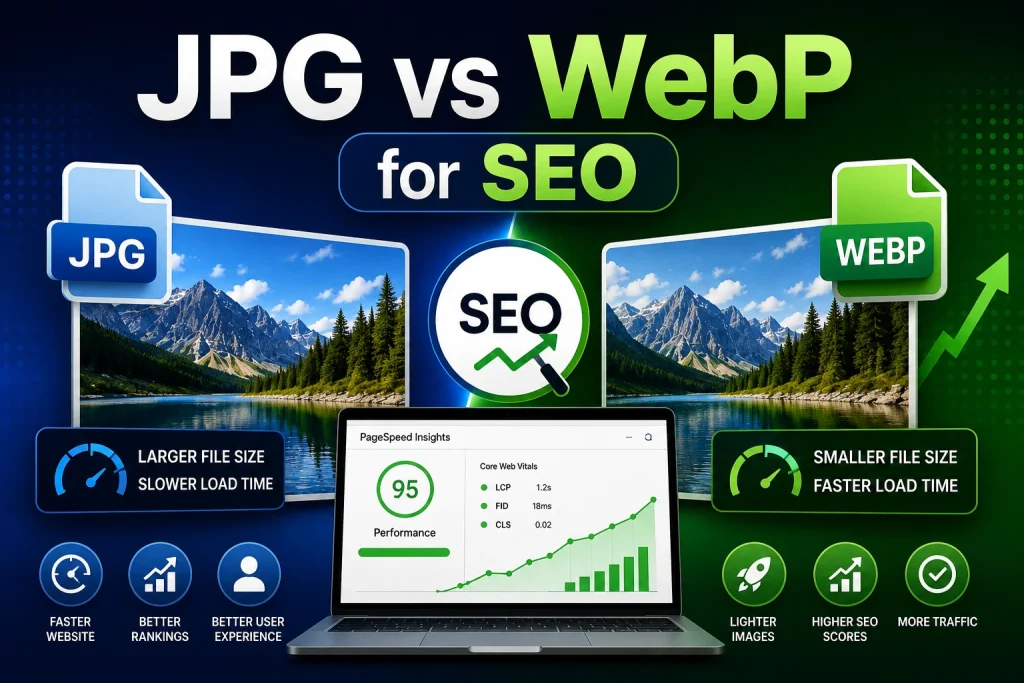
The fact that Google utilizes the page loading speed as one of the known ranking factors. The largest element affecting slow page loading time is the images. WebP images are 25-34% smaller than JPG — that is, pages containing WebP images will be loaded faster than pages containing JPG images.
Fast pages have a better rating on Core Web Vitals, especially on Largest Contentful Paint (LCP). A good LCP rating leads to better Core Web Vitals rating. Better Core Web Vitals rating leads to a better position in the search rankings.
According to Google’s Core Web Vitals documentation, LCP should be under 2.5 seconds. Oversized JPG images are one of the most common causes of poor LCP scores. Converting to WebP reduces image file sizes and directly improves LCP.
Google PageSpeed Insights
Run any website through Google PageSpeed Insights and look at the recommendations. “Serve images in next-gen formats” is almost always in the list for websites still using JPG and PNG. This recommendation specifically means converting to WebP. Fix this recommendation and your PageSpeed score improves — which contributes to better rankings.
Image Search Rankings
Both JPG and WebP images can rank in Google Image Search. The format itself doesn’t directly affect image search rankings — alt text, file names, surrounding content, and page relevance matter more. But faster pages get crawled more efficiently and rank better overall, which indirectly benefits every piece of content on the page.
Converting Between JPG and WebP
JPG to WebP
Converting your existing JPG images to WebP is one of the highest-impact changes you can make to a website’s performance. Our free JPG to WebP converter handles the conversion in seconds — upload your JPG files and download the WebP versions. Supports multiple files at once for batch conversion.
After converting, the WebP files are 25 to 34 percent smaller than the original JPGs with no visible quality difference. Upload these to your website instead of the original JPGs.
WebP to JPG
When you need a JPG version of a WebP file — for email, print, older software, or compatibility — our WebP to JPG converter converts any WebP file to JPG quickly. The JPG output will be slightly larger than the WebP source — that’s expected and normal since JPG is less efficient than WebP.
Should You Switch Your Website From JPG to WebP?
The short answer is yes — if your website currently serves JPG images, switching to WebP will:
- Reduce total image payload by 25 to 34 percent
- Improve page loading speed measurably
- Improve Core Web Vitals scores — particularly LCP
- Help search rankings through faster page loading
- Cost you nothing except conversion time — and our free tool handles that
The practical concern most people have is the conversion workload. If your website has hundreds of existing JPG images, re-uploading all of them as WebP takes time. For new images going forward, convert to WebP before uploading — this costs you nothing extra and delivers better performance from day one.
For existing images, prioritise your most important pages first — homepage, top blog posts, best-selling product pages. Convert and re-upload the images on those pages. Measure the improvement with Google PageSpeed Insights. Then work through the rest of your site systematically.
Our article on WebP images for WordPress covers the full process of switching a WordPress website from JPG to WebP — including how to handle existing images, caching, and browser fallbacks.
JPG vs WebP — The Honest Verdict
Neither format is universally better. They’re better in different contexts.
WebP wins for web use. Smaller files, faster loading, better Core Web Vitals, transparency support, and animation support. If the image is going on a website, WebP is the right choice in 2026.
JPG wins for universal compatibility. Email, print, older software, legacy platforms, and any situation where the image needs to work everywhere without special handling. JPG is the safe choice when compatibility matters more than performance.
The practical workflow for most people and businesses in 2026 is this — work and share in JPG for maximum compatibility, and convert to WebP for everything that goes on a website. Keep JPG as your compatibility format and WebP as your web format. Use both strategically rather than committing entirely to one.
Frequently Asked Questions
1. Is WebP better than JPG?
For web use — yes. WebP produces files 25 to 34 percent smaller than JPG at the same visual quality, supports transparency, and improves page loading speed and Core Web Vitals scores. For universal compatibility in email, print, and older software — JPG is still better. WebP is the better web format. JPG is the better universal format.
2. Can all browsers open WebP images?
Over 96 percent of browsers globally support WebP — including Chrome, Firefox, Safari, Edge, and Opera. For the small percentage on older browsers, implement the HTML picture element with a JPG fallback. WordPress and most performance plugins handle this automatically.
3. Does WebP look better than JPG?
At equivalent quality settings, WebP and JPG look identical at normal screen viewing sizes. At aggressive compression levels where file size needs to be very small, WebP maintains better quality than JPG — less visible artefacts at the same file size. For most practical purposes the visual difference is imperceptible.
4. Should I convert my website images from JPG to WebP?
Yes. Converting website images from JPG to WebP reduces file sizes by 25 to 34 percent, improves loading speed, and improves Core Web Vitals scores. Google PageSpeed Insights will flag JPG images as needing conversion to next-gen formats. Use our free JPG to WebP converter to convert your images and re-upload them.
5. Is WebP good for print?
No. Print services don’t accept WebP files. For print, use high-quality JPG at 90 to 95 percent quality or PNG. WebP is a web format — it was designed for browser delivery, not print production.
6. Does WebP support transparent backgrounds?
Yes. WebP supports full alpha channel transparency — just like PNG. A logo on a transparent background saves perfectly as WebP with the transparency preserved. This makes WebP an ideal replacement for transparent PNG files on websites — same transparency at a smaller file size.
7. Is WebP safe to use in 2026?
Yes. WebP has 96 percent global browser support, is backed by Google, has been in active development since 2010, and is now the recommended image format for web use. The only contexts where WebP isn’t safe are email, print, and older software — in those cases, use JPG.
8. How do I convert JPG to WebP?
Use our free JPG to WebP converter — upload your JPG files and download the WebP versions in seconds. Supports multiple files at once. No sign-up, no watermarks, completely free. The converted WebP files are 25 to 34 percent smaller than the originals with no visible quality difference.
9. Why is WebP not accepted everywhere if it’s better than JPG?
Because format adoption takes time. JPG has been the universal standard since 1992 — 34 years of infrastructure, software, workflows, and systems are built around it. WebP has been around since 2010 and is still catching up in non-browser contexts. Email clients, print services, and legacy software move slower than web browsers in adopting new formats.
10. What about PNG vs WebP?
For web use, WebP also beats PNG — WebP lossless images are 26 percent smaller than PNG, and WebP supports transparency just like PNG. For universal use in print, design, and editing software, PNG is more compatible. Our article on JPG vs PNG covers that comparison in detail alongside the format decision framework.
Conclusion
WebP and JPG do not directly compete with each other; rather, these two formats have completely different purposes. The WebP format is undoubtedly the best choice for anything that will be used on websites – smaller file sizes, faster page loading, better SEO ratings, image transparency, and performance boost are just a few of its advantages. The JPG format is the clear choice for everything that requires compatibility rather than speed – sending emails, printing, and using old software.
In 2026, the choice between these two formats should be obvious for most website owners. Use WebP for your website. Use JPG for everything else. Replace all of the JPG images on your website with WebP images to notice the increase in your PageSpeed rating. Use JPG for sending email attachments and printing.
Convert your JPG images to WebP right now using our free JPG to WebP converter — no software, no sign-up, batch conversion supported, and completely free on every device.